
Tutorials
Last updated August 19, 2022
You can place cashback history also on other pages on your site, read how to do this in our Cashback site tutorial on Blog.
This Redeal Coupon demo is part of Rehub theme. There are few required parts and some optional parts. When you import demo, you can disable optional parts and keep only those parts which you need.
Next tutorials can help you in many options of theme and extended setup.
- Description of Coupon functions for theme
- Bulk import for deals and coupons from Networks for wordpress
- Dealing with Store pages
- How to make cashback site on WordPress and Rehub
- How to use Frontend Site building on Rehub
Here is also few things which you should control before and after installation of demo site.
User registration
Redeal demo uses Customizable header layout. You can enable/disable elements in theme option – Header and menu options (available also in Customizer).
If you want to enable registration, go to Settings – general and enable “Anyone can register”
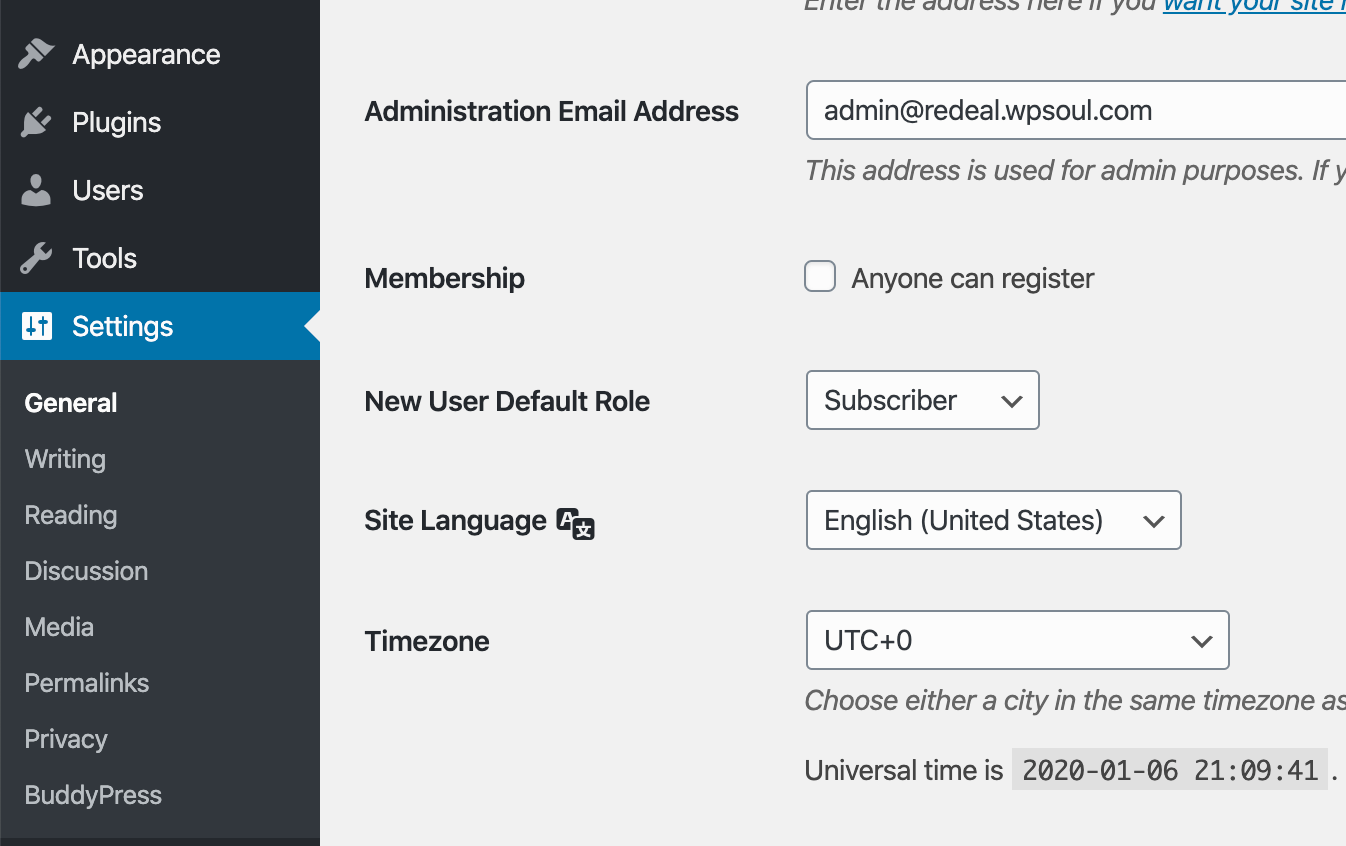
Then go to Theme option – user option and remove link from “Custom register link”. Now, your users can register from LoginRegister button in header. You can also use custom link for user registration page. For example, if you have Buddypress on site, your register link can be /register
Also, if you use Buddypress, but still want to register users from popup, make sure that you enabled Synchronization between login popup and BP in theme option – Buddypress option
If you don’t need registration, just remove button from header and disable registration
User Profiles and Buddypress
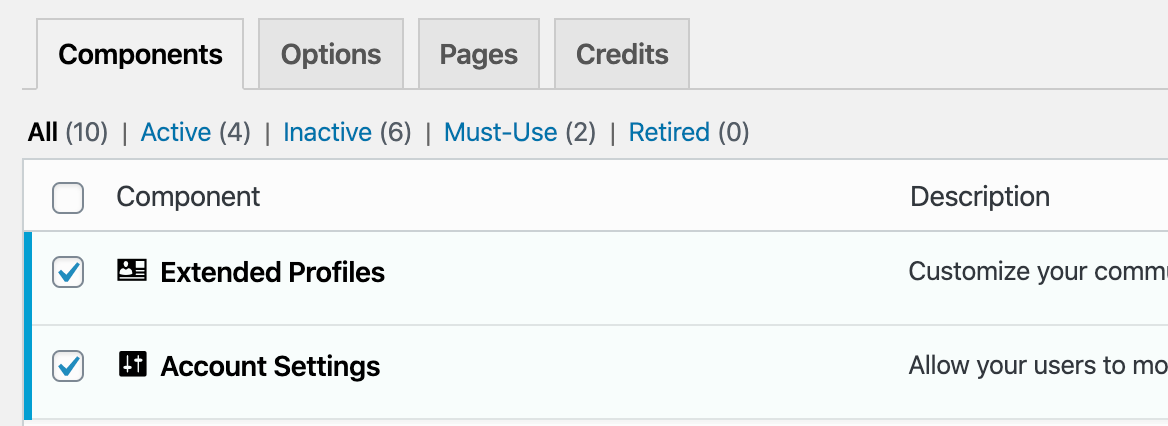
If you need to have cashback site – you must enable advanced User Profiles which will be place where users can see their basic info, change logo, see their cashbacks. So, you must install free Buddypress plugin. After installation, go to Settings – Buddypress – Components. If you need just Cashback and user profiles, keep active only Extended profiles and Account settings + maybe Notifications and disable all other components
Point system and cashback
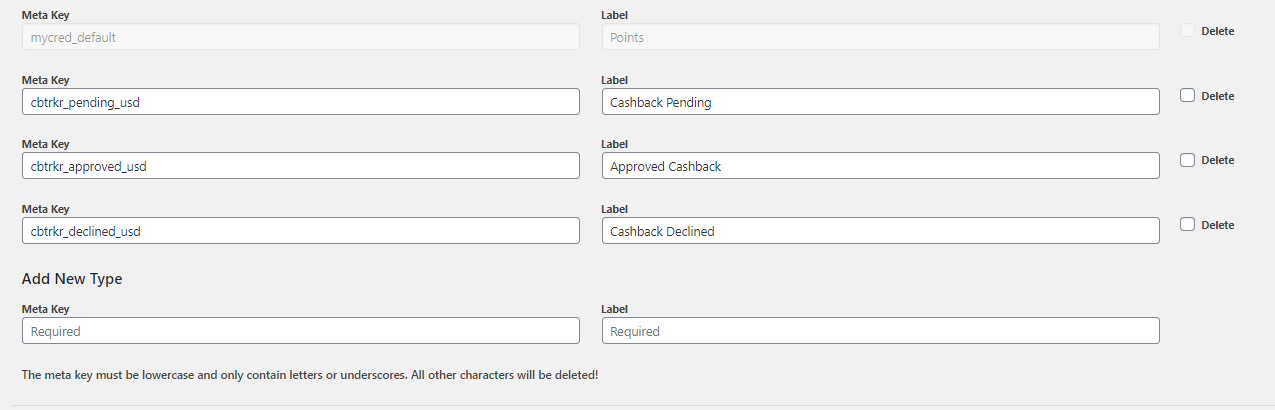
If you need cashback or any other Reputation based features like badges, levels, reputation, install Mycred plugin. It’s free plugin. If you don’t need cashbacks and points on site, go to theme option – Buddypress option – custom message or html in profile of User and remove everything from this field. Or setup it according to your needs, more information can be found in article about cashback settings on our blog. Also delete Cashback Profile page from Pages.
Please, note. Templates on Demo are made for settings with next Point keys
User Submit
Theme has bundled RH frontend PRO plugin which can be used for Deal Submit. You can use any other Form Submit plugin for this purpose, but RH frontend plugin is plugin of our team and it’s more Offer/Deal sumbit plugin because it has option for automatic Image/Price parsing (it’s not working for any offers, but for near 75% of urls)
If you don’t need user submit feature and you used Demo import, go to Theme option – User Option and remove Add and Edit Post submit urls and labels from options. Also remove submit Button from Theme option – Header and menu option
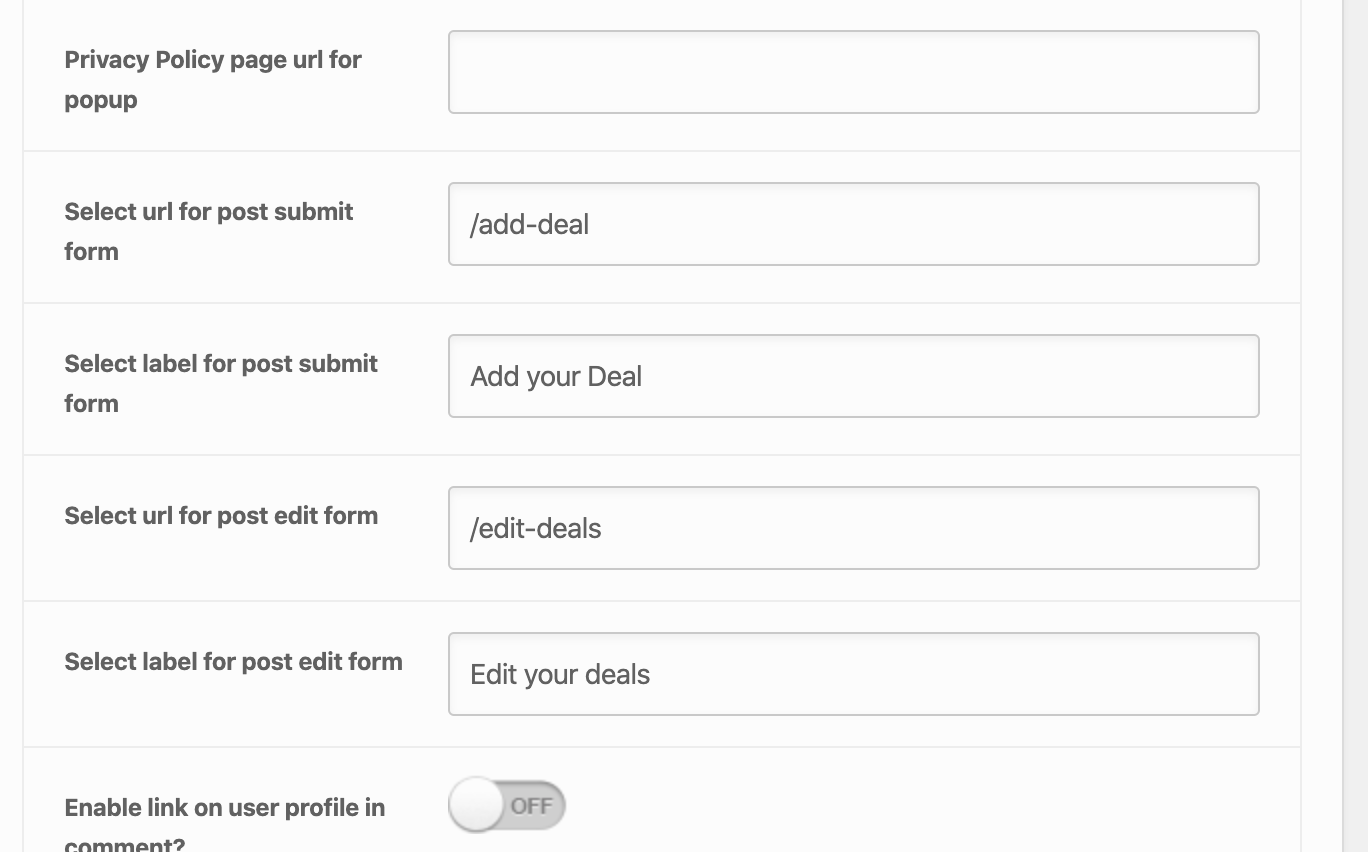
You can investigate User submit Options in our documentation
If you downloaded demo but forgot to enable RH Frontend PRO plugin, you can import Form for Submit Deal from this file Download it and copy content of file, go to RH Frontend PRO – Settings – Data and add content to Import Field. Click on Import